Migration Information - Phase 1 Now Available
Ran Mobile: The Master Class
Version 3 Migration Overview
As we prepare for the upcoming Version 3 overhaul, Ran Mobile: The Master Class will be moving from our legacy systems into a new account and game infrastructure.
This article is an early overview of how the migration is planned to work, what will be migrated, and what players should expect.
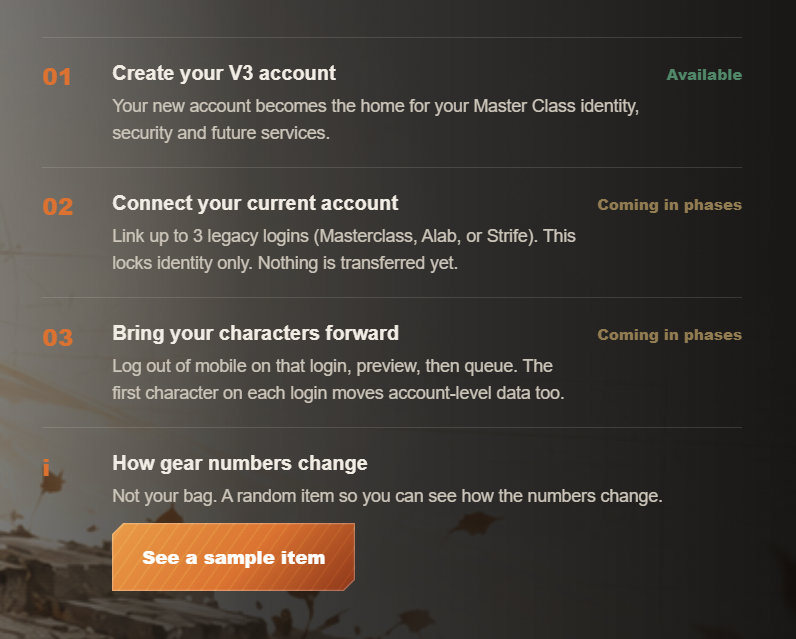
Phase 1: Create Your Version 3 Account
The first step is to create your new Version 3 account at:
Creating a V3 account is required for players who plan to migrate.
Our legacy account system has accumulated long-term issues such as missing or inaccessible emails and outdated account information.
V3 introduces a new account system designed to resolve these limitations and provide a cleaner foundation moving forward.
For now, creating your V3 account is the only step you need to complete.
Phase 2: Link Your Legacy Accounts
Account linking will not be available immediately. This phase will be unlocked by the administrators once we are ready to proceed.
When account linking opens, one V3 account can link up to 3 legacy accounts.
These can be from any combination of:
| Legacy Server | | Masterclass | | ALAB | | STRIFE |
For example, you may link accounts from Masterclass + ALAB + STRIFE, or any other combination within the 3-account limit.
Linking your account does not immediately migrate your characters or items. It only connects your legacy account to your new V3 account in preparation for migration.
Phase 3: Full Character Migration
When full migration begins, affected legacy accounts will be temporarily locked from accessing the legacy game.
This is intentional. It prevents changes or data duplication while migration is being processed.
Once this phase becomes available, you will be able to view your eligible characters and choose which characters you want to queue for migration.
Before confirming the migration, you will be able to review the character information, items and other data that are expected to move.
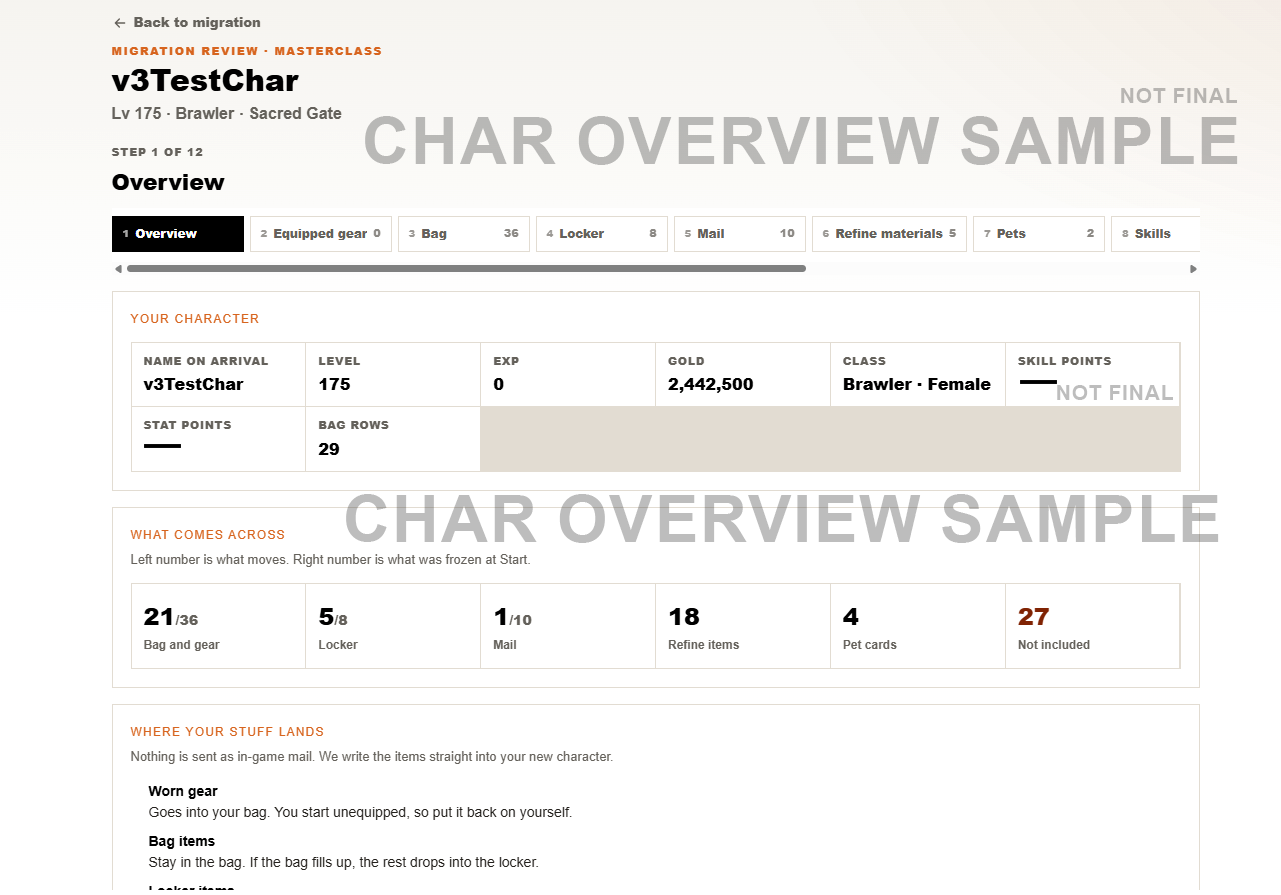
You will also be able to preview the expected conversion of applicable random item values before fully queueing your character.
Character Names and Name Collisions
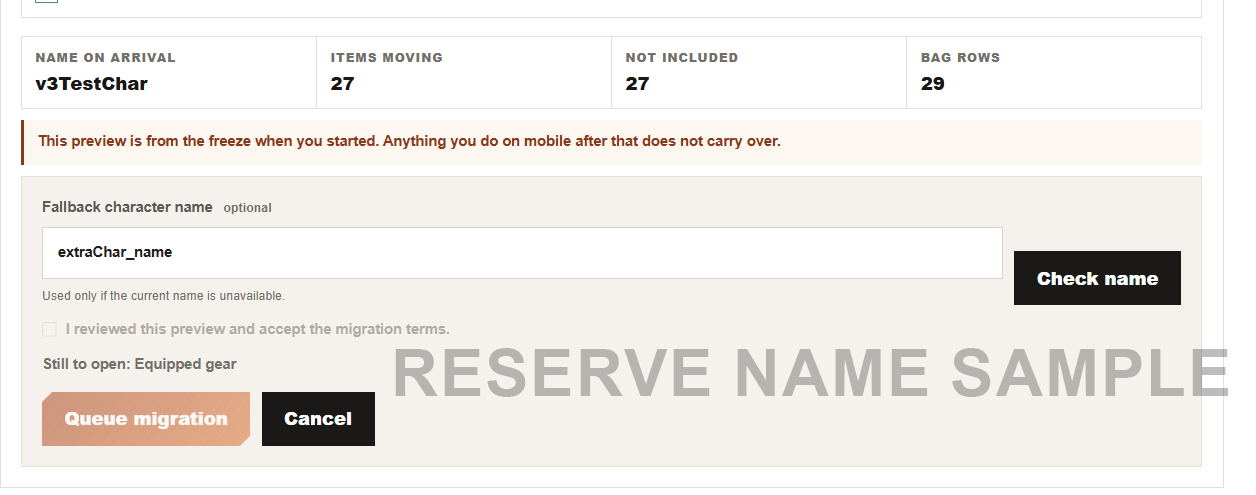
Each eligible character will be allowed one reserved backup name.
Your existing character name will remain your primary name. The backup name will only be used if your existing character name is unavailable in V3.
Before queueing the migration, you will be able to check the availability of your backup name.
What Character Data Will Be Migrated?
Your core character progression will be migrated, including:
- Character Level
- Class
- Gender
- Experience
- GOLD
- Stats
- Skill Points
- Eligible inventory / locker items
- Equipment and applicable upgrades
Some systems and numerical values have changed significantly in V3. Because of this, not every value can simply be copied directly.
The goal of the conversion is to preserve the relative strength and quality of your existing character and equipment.
Account-Level Migration
The first character migrated from each linked legacy account will also trigger the migration of eligible account-level data for that linked account.
This includes:
- Donation Points
- Accumulated Referral Points
- Existing Referral Relationships
- Eligible Locker contents
- Eligible Unclaimed Mail contents
This process happens once separately for each linked legacy account.
During the migration preview, you will be able to review which eligible items are moving and which are not included.
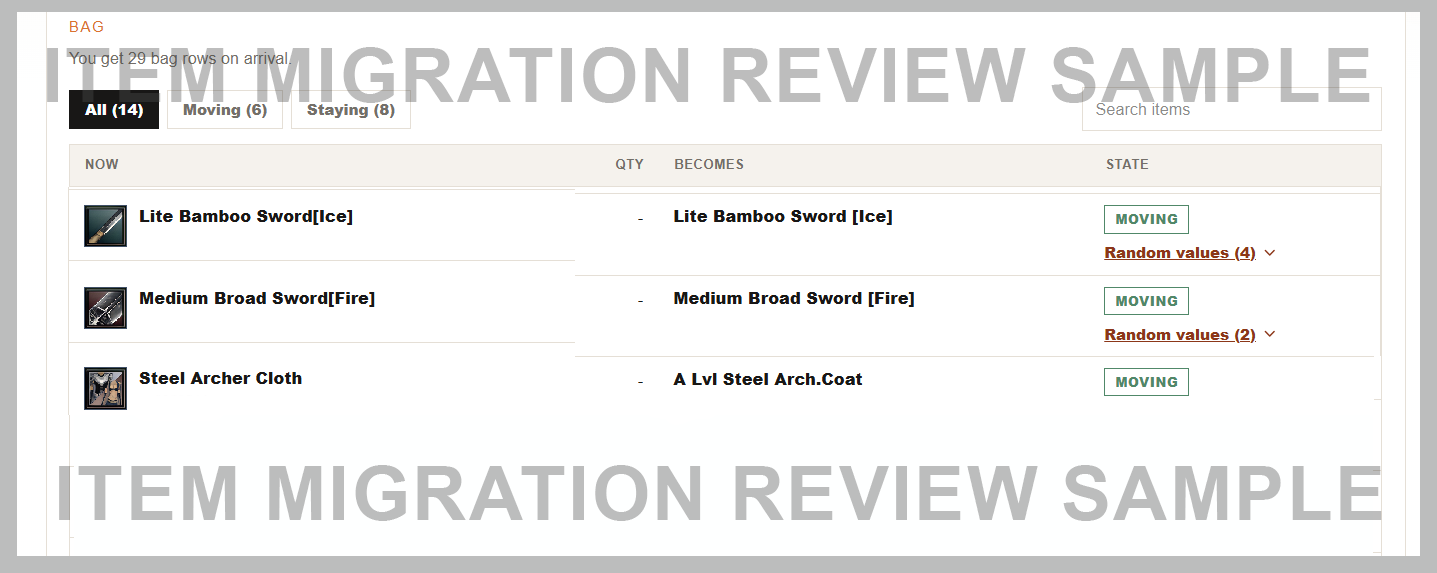
Item Random Value Conversion
Legacy and V3 equipment may use different random value ranges.
Because of this, applicable random values will be converted based on their relative position within the old range, rather than simply copying the old number.
For example, if an item's legacy value is approximately 50% of its available range, the converted V3 value should also be approximately 50% of the new range.
Example Conversion
| Stat | Legacy Range | Legacy Value | Relative Position | V3 Range | Example V3 Value |
|---|---|---|---|---|---|
| HP | 1 - 100 | 50 | ~50% | 1 - 50 | ~25 |
| Critical Rate Chance | 1% - 10% | 2% | ~11% | 0.01% - 2% | ~0.23% |
The conversion is based on where the value sits inside its range, not simply the displayed number.
For HP, a simplified example would be:
Legacy: 1 - 100 → 50 (~50%)
V3: 1 - 50 → ~25 (~50%)
For Critical Rate, the ranges are very different:
Legacy: 1% - 10% → 2% (~11% through the range)
V3: 0.01% - 2% → ~0.23% (~11% through the range)
This means an old 2% Critical Rate does not automatically become 2% in V3. The relative roll quality is what the conversion attempts to preserve.
Note: The examples above are for illustration. Actual stat ranges, rounding rules and mappings may differ as V3 balancing and migration formulas are finalized.
Previewing Your Actual Items
The migration review will show the old range, your existing roll, the new V3 range and the expected converted number for applicable random values.
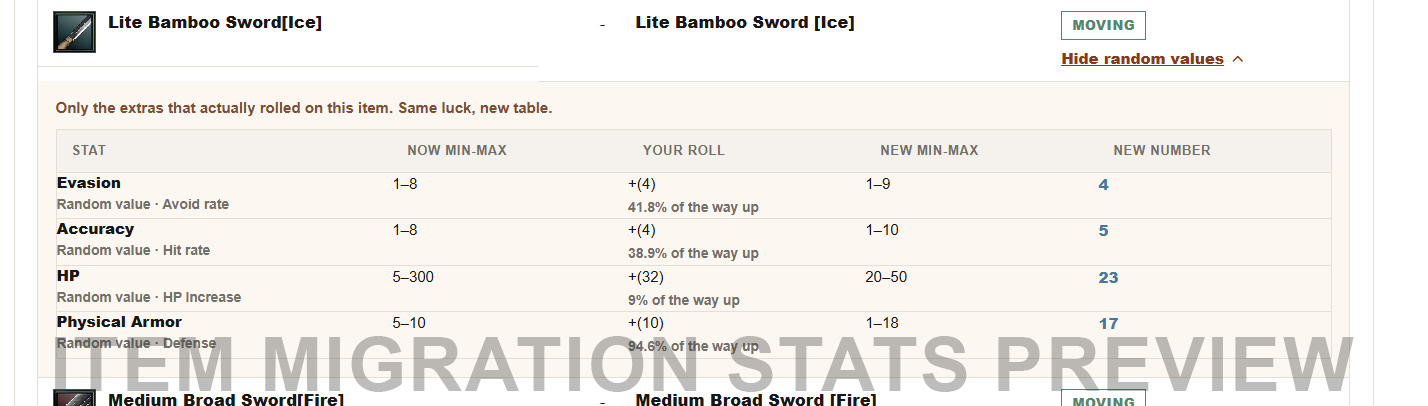
A Stat Sample Viewer is also available on the V3 website:
https://v3.ranmobile.com/#migration
This lets players preview how different legacy random values may translate into the new system.
Some formulas and mappings are still being finalized.
Legacy Items and Donation Mall Items
For specific legacy items obtained through the Donation Mall or through supporting the game, we will determine an appropriate item conversion where a direct migration is not possible.
One example is the Backpack Expansion.
The legacy Backpack Expansion temporarily unlocks additional inventory rows. Inventory expansion works differently in the overhauled version, so a different item or equivalent system may be provided to migrated characters instead of directly copying the old item.
More information about special item conversions will be provided as the migration mappings are finalized.
Refines, Skills and Pets
Refines
Refines will be converted into a format compatible with the new enhancement system.
Instead of the old durability-based refine usage, refines will now exist as stackable items, similar to the traditional Ran Online enhancement system.
Skills
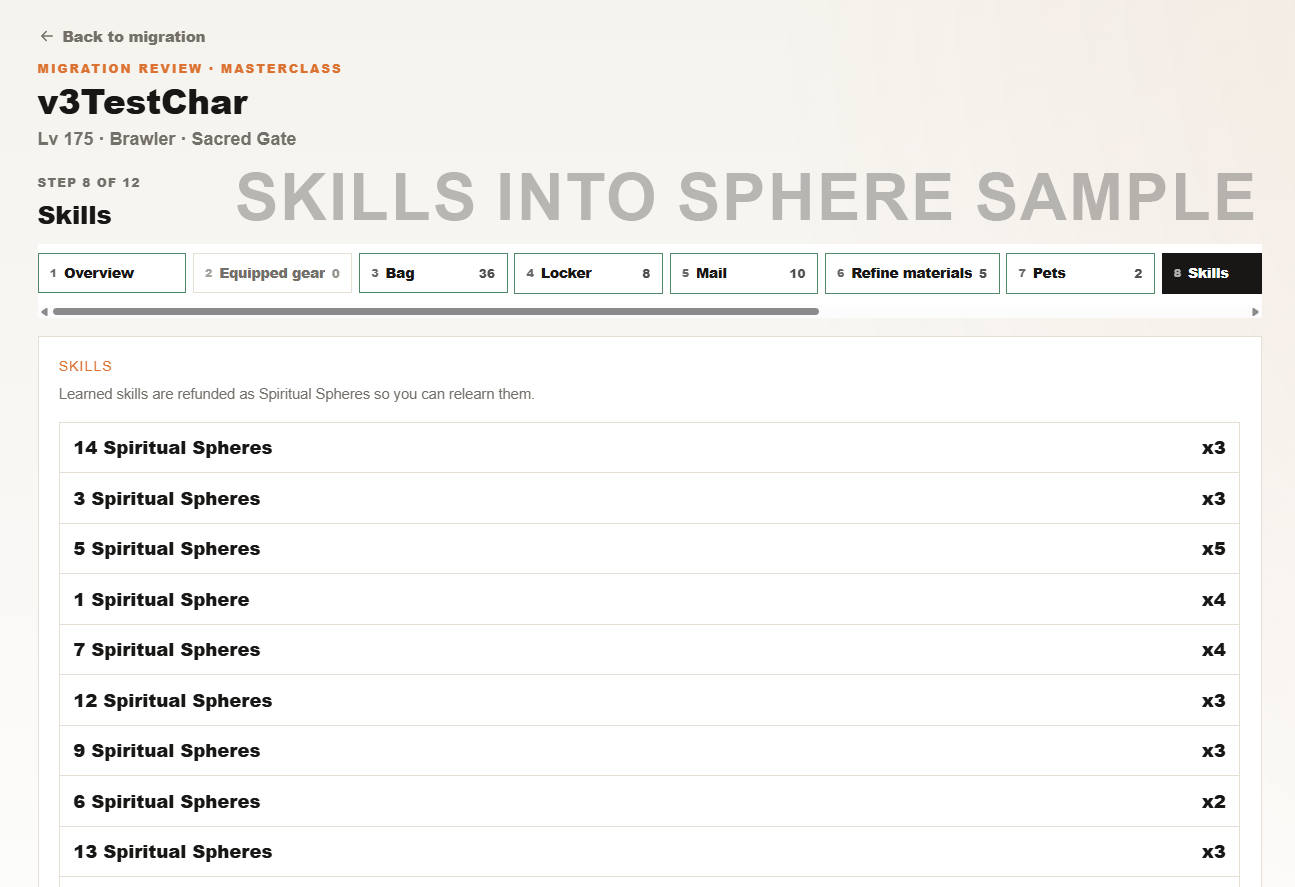
Learned skills will be converted into Spiritual Spheres, which can later be exchanged for the appropriate skill scrolls.
Your migration preview will show the Spiritual Spheres generated from your learned skills.
Pets
For pets, duplicate pet cards containing different skills may be combined.
For example, if you have two (2) Baby White Tiger pets where one has a defensive skill and another has Prevent Item Drop, the migrated result may become one (1) Baby White Tiger pet containing both skills.
However, only one pet skill can be active at a time.
This does not automatically provide Dual Pet Skill functionality.
Marriage System
Characters with an existing married status in the legacy game will have that status recorded during migration.
The redesigned V3 marriage system will be introduced separately at a later time.
What Will Be Reset?
The following will not be migrated and, if available in V3, will start fresh:
- Friends List
- Guilds
- Guild Memberships
- Guild Points
- Quests
- Quest Progress
Migration at a Glance
| Step | Process |
|---|---|
| 1 | Create your V3 account |
| 2 | Wait for Account Linking to open |
| 3 | Link up to 3 legacy accounts |
| 4 | Full migration begins and legacy access is temporarily locked |
| 5 | Review your eligible characters, items and expected conversions |
| 6 | Set a backup character name |
| 7 | Review and accept the migration |
| 8 | Queue your character for migration |
More Information Soon
This article is intended to give everyone a general overview of what to expect from the upcoming migration.
Some conversion rules, supported items, special item mappings and other migration details are still being finalized.
For now, players are advised to create their Version 3 account and wait for the next phase to open.
More detailed instructions will be released through separate announcements as each migration phase becomes available.